


HD Video Downloader: Private
0.00.00 Reviews
App Specs
- Version
- 1.0.6
- Updated On
- License
- Free
- Downloads
- 100,000+
- Developer
- Lokifyy
- Categories
- Video Players & Editors
- Platform
- Android
Screenshots
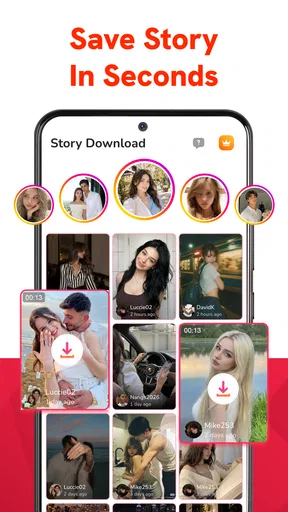
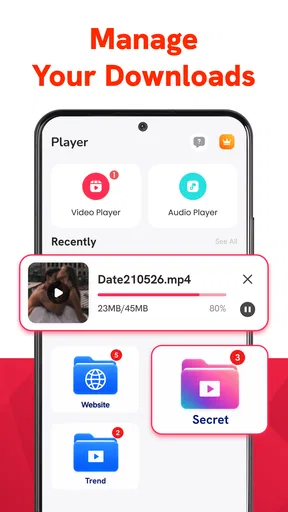
 Analysis by AppCompare
I would judge HD Video Downloader: Private less by the promise of a quick save and more by what happens when a video does not download on the first try. That is where a downloader earns its place: it should fit into an ordinary viewing routine without turning a simple clip into a troubleshooting project. This app is aimed at people who want to keep videos available offline and play them back smoothly, but its usefulness still depends on the source video and the steps between finding it and saving it.
It is a free video-player and editing-category app from Lokifyy, with optional in-app purchases priced from $4.99 to $19.99 per item. It is intended for Everyone and has over 50,000 installs. Those basics make it approachable to try, though the purchase range is worth keeping in mind before tapping any upgrade prompt. I would start with the free experience and decide whether it solves a recurring need before spending anything.
Where a download can get stuck
A downloader is not a universal key for every video on the internet. A link may open a page rather than a playable video, or the source may restrict saving. In those cases, repeatedly pasting the same address is unlikely to help. I find it more useful to check whether the video plays normally in its original location first, then try the app’s download flow with a source that is clearly available for offline use.
That distinction matters because users often blame the downloader when the real obstacle is the source. If a clip requires an account, is region-limited, or is protected by the service hosting it, an external app may not be able to retrieve it. Respect the creator’s rights and the source’s rules; use downloads for material you are allowed to save rather than trying to bypass restrictions.
Another common snag is confusing a successful playback with a completed download. Streaming can appear smooth while the video is still being fetched, but offline access depends on a saved local copy. Before relying on a clip during a commute or trip, I would check for the downloaded item in the app and open it with the internet connection turned off. That small test is more dependable than assuming a progress screen or a successful preview means the file is ready.
Check the basics before trying again
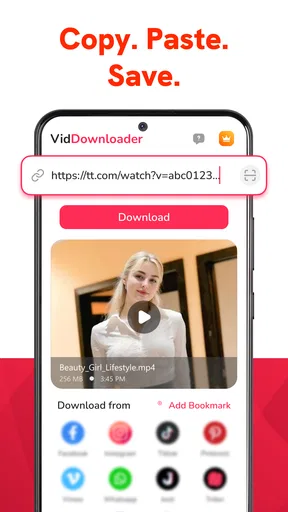
First, confirm that the address you are using points to the actual video or to a page the app can work with. Copying a link from a share menu is generally a cleaner starting point than selecting a long address by hand, where a missing character can quietly make the link unusable. If the result is an error, reopen the source and copy it again rather than making several guesses at once.
Next, consider the connection and available storage. A weak signal can interrupt a large download, while a nearly full device can leave too little room for a saved video. I would pause other large transfers, move onto a stable connection, and clear space only if needed. Changing one thing at a time makes it easier to tell whether the problem was the link, the network, or the device.
Worth Reading Before You Choose

Flipboard Shows What News Apps Must Do Beyond the Feed

Switching to Android Auto Means Rethinking Your Driving Routine

Google Calendar Makes a Crowded Week Easier to Manage

Ludo King Makes the Most of the Minutes Between Plans

Baby Panda World Brings Quick Play to Modern Phones, but Its Game Library Feels Busy

ESPN’s Live Game View Makes Following Close Games Easier
The app requires Android 8.0 or later, so an older phone may be the first issue to rule out. It is currently at version 1.0.6, and keeping an app up to date is a sensible general check if something behaves inconsistently. The release date is August 13, 2026, so anyone comparing compatibility should also check that their device meets the stated minimum rather than assuming every Android model can install it.
A calmer workflow for saving and finding clips
For a video I expect to watch later, I would save it while I still have a reliable connection, then verify the local copy before leaving. This is useful for a short tutorial, a reference clip for a project, or a permitted video I want to revisit without using mobile data. The key habit is to separate “I found the clip” from “I have an offline copy”; they are different stages, and checking both prevents disappointment later.
It also helps to keep downloads purposeful. If I save several clips with vague names or forget why I wanted them, the offline collection can become harder to use than the original streaming service. A practical approach is to download only what I expect to watch soon and remove items once they are no longer useful. That keeps storage available and makes it easier to locate the one clip I actually need.
If a download stalls, I would avoid immediately repeating it several times. Check whether the first attempt is still active, then retry only after it has stopped or failed. Repeated attempts can consume data and create confusion about which copy is complete. If playback later fails, test the file while online and offline; that comparison helps distinguish a bad local save from a source that has changed or become unavailable.
When the app is not the cause
Some problems belong to the video source, not to the downloader. A clip that has been removed, made private, or limited by its publisher may stop working even if it played earlier. Likewise, a video that buffers in its original player is unlikely to become a reliable offline file simply because it is opened in another app. I would test the source directly before changing settings or reinstalling anything.
Phone-level constraints can matter too. If the device is low on storage or the network drops repeatedly, a download may fail regardless of which app handles it. A useful diagnostic is to try a smaller, accessible video on a steady connection. If that works, the original source or file size may be the issue; if it does not, checking the app version, free space, and connection is a more sensible next step than endlessly changing the link.
There is also a difference between a dedicated download tool and the official offline option inside a streaming service. The official route is usually the better fit when a service offers one and the video is tied to an account or subscription, because it is designed around that service’s access rules. A separate downloader is more appealing for sources and videos that permit saving and for people who want a straightforward local viewing workflow. Neither approach makes restricted material freely downloadable.
What to expect from the free and paid options
The app is free to install, but it includes in-app purchases from $4.99 to $19.99 per item. I would treat the purchase prompt as a decision point rather than a reason to upgrade automatically: first see whether the free version handles the kind of videos you actually use. If a feature or limit encourages a purchase, read the on-screen description carefully and compare it with your own needs before paying.
That advice is especially relevant for occasional users. Someone saving a clip every now and then may get more value from a free workflow or the source service’s own offline feature. A person who regularly collects permitted videos for reference may be more willing to pay if an upgrade clearly removes a friction they encounter. The price range alone does not tell you which option is worthwhile; the deciding factor is whether the specific paid benefit matters in your routine.
As a video app, it sits between two familiar alternatives: streaming directly in a browser or service, and using a service’s built-in offline mode. Streaming is simpler when an internet connection is dependable and there is no need to keep a file. Built-in offline viewing is often the least troublesome option for content inside a particular platform. A downloader can make more sense when the source allows saving and you want access to that clip later without returning to its page.
Who will benefit, and who should look elsewhere
I would consider this app if I often encounter videos I am permitted to save, want to watch them offline, and am comfortable checking that a download has finished before depending on it. It may suit students revisiting allowed reference material, travelers preparing a small collection before going offline, or anyone who wants to keep a useful clip available for a later task. In each case, the advantage is practical access, not a way around the source’s restrictions.
I would skip it if nearly all my viewing happens inside a service with a good built-in offline option, or if I expect every link to work without regard to its source. It is also not the right answer when storage is tight, the connection is unreliable, or I only need to watch something once. Streaming is less work in those situations, and an official platform feature may be more dependable for its own catalog.
For an everyday example, imagine finding a permitted repair tutorial at home and wanting it available in a place with poor reception. I would copy the video link, try the download on a stable connection, confirm the saved copy opens, and then watch it offline when needed. If the link leads only to a restricted page or the download fails, I would return to the original service and use its supported viewing options rather than spending time on repeated retries.
My practical verdict
HD Video Downloader: Private is worth trying when offline access solves a real problem and the videos you want are available to save. Its main appeal is a focused job: helping you keep eligible clips for later playback. The most useful habit is also the simplest one—test the source, complete the download on a stable connection, and verify the local copy before counting on it.
I would not make it my default for every video. Source restrictions, network quality, storage, and the presence of official offline viewing all affect whether a separate downloader is the right tool. Start with the free version, keep purchases tied to a clear need, and choose another option when a platform’s own download feature is more reliable. Used with those expectations, this is a practical choice for specific offline-video tasks rather than a universal replacement for streaming.
Pros
- Built-in browser makes it convenient to find videos without switching apps.
- Private browsing helps keep searches separate from your regular browser activity.
- Download management lets you check active and completed transfers in one place.
- Supports saving videos for offline viewing when you have no internet access.
- Simple interface makes basic browsing and downloading easy to get started with.
Cons
- Video downloads may fail when a site blocks them or changes its format.
- Downloaded files can quickly use up storage
- especially at high resolutions.
- The app may display ads that interrupt browsing or downloading.
- Some sites and video formats may not be supported.
- Downloading copyrighted videos without permission may violate the law or site rules.
FAQs for HD Video Downloader: Private
What is HD Video Downloader: Private, and what does it do?
HD Video Downloader: Private is a mobile app intended to help users download supported online videos for offline viewing and keep downloaded files organized on their device. Its available features can vary by app version, platform, and the source website, so not every video or streaming service will work. Check the app’s current store listing and permissions before installing, and use it only for content you are authorized to download.
Can I download videos from any website or streaming service?
No downloader can be assumed to support every website. Some services restrict downloading, protect videos with encryption or digital rights management, or change their layouts in ways that prevent third-party apps from working. Availability may also differ between Android and iOS. Before relying on the app for a particular source, review its current description and test only content that the website permits you to save.
Are videos downloaded with the app private and secure?
The word “Private” in an app’s name is not, by itself, a guarantee that files are encrypted, hidden from other users, or protected from online access. Privacy depends on how the app stores files, what permissions it requests, and what information it collects. Review the developer’s privacy disclosures and your device’s app permissions, use a screen lock, and avoid saving sensitive material unless you understand how it is protected.
Is HD Video Downloader: Private free, and are there in-app purchases or ads?
Pricing and monetization can change by version, country, and operating system. The app may be free to install while displaying advertisements or offering paid features, subscriptions, or other in-app purchases. Check the app’s store page for the current price, purchase terms, and subscription details before downloading. If a subscription is offered, confirm its renewal and cancellation conditions through the relevant app store.
Is it legal to download videos with HD Video Downloader: Private?
That depends on the video, the source service’s terms, and the laws where you live. Downloading your own content or material explicitly offered for offline saving is generally different from copying copyrighted videos without permission. A downloader does not grant rights to a video or bypass a service’s restrictions. Review the source’s rules, respect copyright, and avoid sharing or redistributing files without authorization.


